Horton IT Daily
Tell Windows When You Work
A two-minute setting for fewer surprise restarts, an urgent Zammad security check, two open federal IT opportunities, and your October Windows 11 guide.
Sunday, October 4, 2026 · Horton IT Enterprises LLC
Archived issue — October 4, 2026. Published October 6, 2026. News and contract listings reflect the original issue date. Some deadlines have passed; check the linked official notices for current requirements and amendments.
Updates protect your computer. A surprise restart during a deadline is less helpful. Today, give Windows a better idea of when you normally use your computer.
If you run Zammad, treat two new flaws as urgent
On October 2, 2026, the U.S. Cybersecurity and Infrastructure Security Agency (CISA) added CVE-2026-102489 and CVE-2026-102490 to its Known Exploited Vulnerabilities catalog. CISA says attackers have used these flaws. Both affect Zammad, a customer-support and help-desk system.
The first flaw can let an attacker take over a Zammad session and run commands as the Zammad service user. The second can let that local service user gain full administrator-level control of the server. CISA listed October 5, 2026 as the federal remediation date (now past) for both entries.
The federal deadline applies to covered federal systems; other organizations can use it as a priority signal. Sources checked October 4: CISA alert · CISA catalog · Zammad releases.
Set your Windows active hours
Active hours tell Windows when you usually use the computer. Windows still installs updates, but it tries to schedule automatic restarts outside that time.
- Select Start.
- Select Settings → Windows Update → Advanced options.
- Select Active hours.
- Under Adjust active hours, choose Automatically to let Windows learn your routine, or choose Manually and enter your usual start and finish times.
If an update is already waiting, open Start → Settings → Windows Update. Select Schedule the restart when that option appears, then choose a convenient time. Save your work before any restart.
Official instructions: Microsoft: Keep your PC up to date with active hours · Windows Update FAQ.
Windows 10 to Windows 11: keep your files and apps
The normal upgrade is intended to preserve your personal files and compatible apps. Preservation is never guaranteed. Back up first. Some older programs and accessories may need updates or replacement.
Before you begin
- Check the computer. Open Microsoft’s PC Health Check guide. Install the app if needed, open it, and select Check now. If Windows has placed a temporary compatibility hold on the computer, wait instead of forcing the upgrade.
- Verify a backup. Copy important files to an external drive, or confirm that OneDrive has finished syncing them. Open several backup copies. Microsoft recommends backing up before a new Windows version.
- Check your essentials. Ask the makers of important apps, printers, scanners, and other accessories whether they support Windows 11. Save your work and connect a laptop to power. Ask your administrator before changing a work-managed computer.
Use Windows Update—the recommended route
- In Windows 10, open Start → Settings → Update & Security → Windows Update.
- Select Check for updates. Install offered Windows 10 updates, restart if asked, and check again.
- When Windows 11 is offered, select Download and install.
- Read the terms. To continue, select Accept and install.
- Save your work. When prompted, select Restart now. Let the computer finish; it may restart several times.
- Sign in. Test important files, apps, and accessories. Then open Settings → Windows Update for remaining updates.
No Windows 11 offer? Review PC Health Check. Even an eligible computer can have a temporary safeguard hold. Do not bypass the requirements; ask for help understanding the result.
Official Microsoft guidance checked October 4, 2026: ways to install Windows 11 · upgrade FAQ · safeguard holds · backup, restore, and recovery.
Two free NIST webinars to consider
Breaking into cybersecurity
October 20, 2026 · 1:00–2:00 p.m. EDT · Online
NIST’s NICE program will host recent graduates who will discuss how they entered cybersecurity, what helped them stand out, and what they would do differently.
CUI assessment for small businesses
October 29, 2026 · 2:00–3:00 p.m. EDT · Zoom for Government
NIST will explain its small-business primer for assessing security requirements for Controlled Unclassified Information (CUI) under NIST SP 800-171A Revision 3.
EDT means Eastern Daylight Time. Check the organizer’s page before attending. These are learning events, not certifications.
Open SAM.gov Cybersecurity & IT Contracts
Active status and response deadlines checked October 4, 2026, about 8:10 a.m. EDT. These are open solicitations, not awards or sources-sought surveys. The official notice and its latest attachments control.
Software Supply Chain Security Solution
Agency: Federal Deposit Insurance Corporation (FDIC)
Notice ID: CORHQ-26-R-0394
Offers due October 9, 2026, 1:00 p.m. EDT
Status/type: Active · Solicitation (Original).
Scope: A software supply-chain security solution, with a required pricing workbook and pre-award supply-chain-risk spreadsheet.
Eligibility: No set-aside used; the notice is not reserved for one small-business category. SAM.gov lists NAICS 513210, Software Publishers. The question deadline has passed.
High Performance Search and Retrieval Software Tool
Agency: U.S. Navy · NAVAIR Lakehurst
Notice ID: N6833526Q1220
Offers due October 13, 2026, 5:00 p.m. EDT
Status/type: Active · Combined Synopsis/Solicitation.
Scope: A fixed-price online subscription for parts, logistics, and purchasing data. This is an IT software opportunity, not a cybersecurity service.
Eligibility: Full and open to all business sizes; no set-aside used. SAM.gov lists NAICS 519290 and PSC DH10. The notice says SAM registration must remain active from submission through award.
Deadline caveat: SAM.gov’s deadline field says EDT; earlier description text used EST. Use the earlier EDT interpretation unless the contracting office confirms otherwise.
Open status can change. Review amendments, attachments, submission method, representations, and technical requirements before any bid/no-bid decision.
October 4, 1957: Sputnik opens the Space Age
The Soviet Union launched Sputnik 1, the world’s first artificial satellite, on October 4, 1957. NASA’s history office says the event marked the beginning of the Space Age and helped lead to NASA’s creation in 1958.
The polite restart
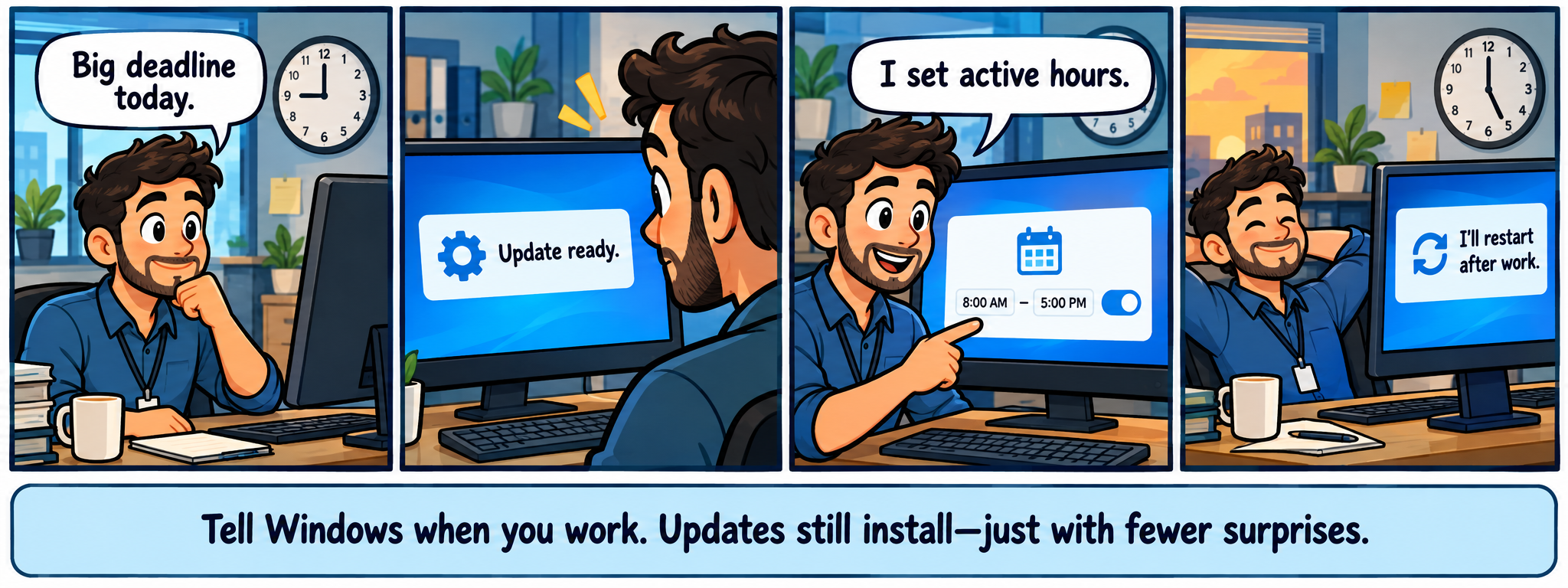
Comic transcript
- Worker: “Big deadline today.”
- Computer: “Update ready.”
- Worker: “I set active hours.” The screen shows 8:00 AM to 5:00 PM.
- Computer: “I’ll restart after work.”
Caption: “Tell Windows when you work. Updates still install—just with fewer surprises.”
Original fictional comic created for Horton IT Daily with AI-generated artwork.
Two jokes for your coffee break
1. Sunday calm
Why was the laptop relaxed on Sunday?
It finally closed all its tabs.
2. Screen talk
What did one monitor say to the other?
“I’ve got my eye on your pixels.”
Sysadmin horoscope · October 4
Today’s zodiac spotlight: Libra. In Valerie Mesa’s dated October 4 forecast for PEOPLE, Libra is encouraged not to spiral under self-imposed pressure and to make room for a more social evening.
Our playful office adaptation: Fix one realistic thing today, then stop grading yourself like a quarterly report. Stars do not diagnose computers, predict security incidents, or decide business strategy.