Horton IT Daily
Check What Changed Last Night
A two-minute update check, a new Citrix NetScaler advisory, open federal IT opportunities, and your October Windows 11 guide.
Monday, October 5, 2026 · Horton IT Enterprises LLC
Archived issue — October 5, 2026. Published October 6, 2026. News and contract listings reflect the original issue date. Some deadlines have passed; check the linked official notices for current requirements and amendments.
Updates often install quietly. Today, take two minutes to see what changed—and make sure a restart is not still waiting.
NetScaler administrators have a new October 3 patch
Citrix published CVE-2026-88779 on October 3, 2026. It is a high-severity memory-overflow flaw that can make an affected NetScaler ADC or NetScaler Gateway stop working. The flaw applies when the appliance is configured as a Security Assertion Markup Language (SAML) service provider or identity provider. SAML is a way systems pass sign-in information between services.
This is an administrator issue, not a normal home-computer update. Citrix says the bulletin applies to customer-managed NetScaler systems. Citrix-managed cloud services are updated by the provider.
Vendor guidance checked October 5, 2026. Citrix lists fixed builds beginning with 14.1-73.41, 13.1-64.28, 14.1-73.41 FIPS, and 13.1-37.282 FIPS/NDcPP. Always use the bulletin’s current version list. Official Citrix security bulletin.
See which Windows updates installed
Update history shows which Windows updates were installed and when. It can help you answer, “Did last night’s update finish?”
- Select Start.
- Select Settings → Windows Update.
- Select Update history.
- Look at the newest entries and their dates. If Windows Update says a restart is required, save your work and choose a convenient restart time.
Do not uninstall an update just because you do not recognize its name. Microsoft says removal is not recommended unless it is necessary. Ask for help if a problem began after an update.
Windows 10 to Windows 11: keep your files and apps
The normal upgrade is intended to preserve your personal files and compatible apps. Preservation is never guaranteed. Back up first. Some older programs and accessories may need updates or replacement.
Before you begin
- Check the computer. Open Microsoft’s PC Health Check guide. Install the app if needed, open it, and select Check now. If Windows has placed a temporary compatibility hold on the computer, wait instead of forcing the upgrade.
- Verify a backup. Copy important files to an external drive, or confirm OneDrive has finished syncing them. Open several backup copies. A file backup does not preserve every installed program.
- Check your essentials. Ask the makers of important apps, printers, scanners, and other accessories whether they support Windows 11. Save your work and connect a laptop to power. Ask your administrator before changing a work-managed computer.
Use Windows Update—the recommended route
- In Windows 10, open Start → Settings → Update & Security → Windows Update.
- Select Check for updates. Install offered Windows 10 updates, restart if asked, and check again.
- When Windows 11 is offered, select Download and install.
- Read the terms. To continue, select Accept and install.
- Save your work. When prompted, select Restart now. Let the computer finish; it may restart several times.
- Sign in. Test important files, apps, and accessories. Then open Settings → Windows Update for remaining updates.
No Windows 11 offer? Review PC Health Check. Even an eligible computer can have a temporary safeguard hold. Do not bypass the requirements; ask for help understanding the result.
Official Microsoft guidance checked October 5, 2026: ways to install Windows 11 · upgrade FAQ · PC Health Check and safeguard holds.
Two free NIST webinars to consider
Help students map a cyber career
October 21, 2026 · 1:00–2:00 p.m. EDT · Online
NIST’s NICE program will demonstrate career-mapping tools and ways educators and advisers can connect students’ interests with cybersecurity work roles.
Safer software and agentic AI
October 28, 2026 · 1:00–3:00 p.m. EDT · Online
NIST’s National Cybersecurity Center of Excellence will discuss secure software-development practices and artificial-intelligence systems that can carry out tasks. Attendance is limited to 500; there is no fee.
EDT means Eastern Daylight Time. Check the organizer’s page before attending. These are learning events, not certifications.
Open SAM.gov Cybersecurity & IT Contracts
Active status and response windows checked October 5, 2026, about 8:35 a.m. EDT. One item is an open solicitation. The other is market research, not a bid. The official notice and its latest attachments control.
Software Supply Chain Security Solution
Agency: Federal Deposit Insurance Corporation (FDIC)
Notice ID: CORHQ-26-R-0394
Offers due October 9, 2026, 1:00 p.m. EDT
Status/type: Active · Solicitation (Original).
Scope: Software to protect the components used to build and deliver software. The notice requires a pricing workbook and a pre-award supply-chain-risk spreadsheet.
Eligibility: No set-aside used; it is not reserved for one small-business category. SAM.gov lists NAICS 513210, Software Publishers. The questions window has closed.
FEMA Deployment Management Solution
Agency: Federal Emergency Management Agency (FEMA)
Notice ID: 70FA3126I00000008
Responses due October 16, 2026, 2:00 p.m. EDT
Status/type: Active · Sources Sought (Updated October 1).
Scope: FEMA is researching industry capability for an IT deployment-management system. This is a request for information and a survey, not a solicitation or promise of an award.
Eligibility: No set-aside is listed. NAICS 541511, Custom Computer Programming Services. Read the spreadsheet and overview attachments for the required response format.
Questions deadline passed: questions were due October 5 at noon, according to the description. The notice does not state a timezone for that question cutoff. Do not confuse it with the later response deadline above.
Open status and deadlines can change. Review amendments, attachments, the submission method, and the contracting office’s instructions before any bid/no-bid or market-research decision.
October 5, 1991: the first Linux kernel release
The Linux Foundation recognizes October 5 as the day Linus Torvalds released the first Linux kernel in 1991. A kernel is the core part of an operating system that helps software use the computer’s hardware. Linux grew through open collaboration and now supports everything from small devices to large data centers.
Later has become a habit
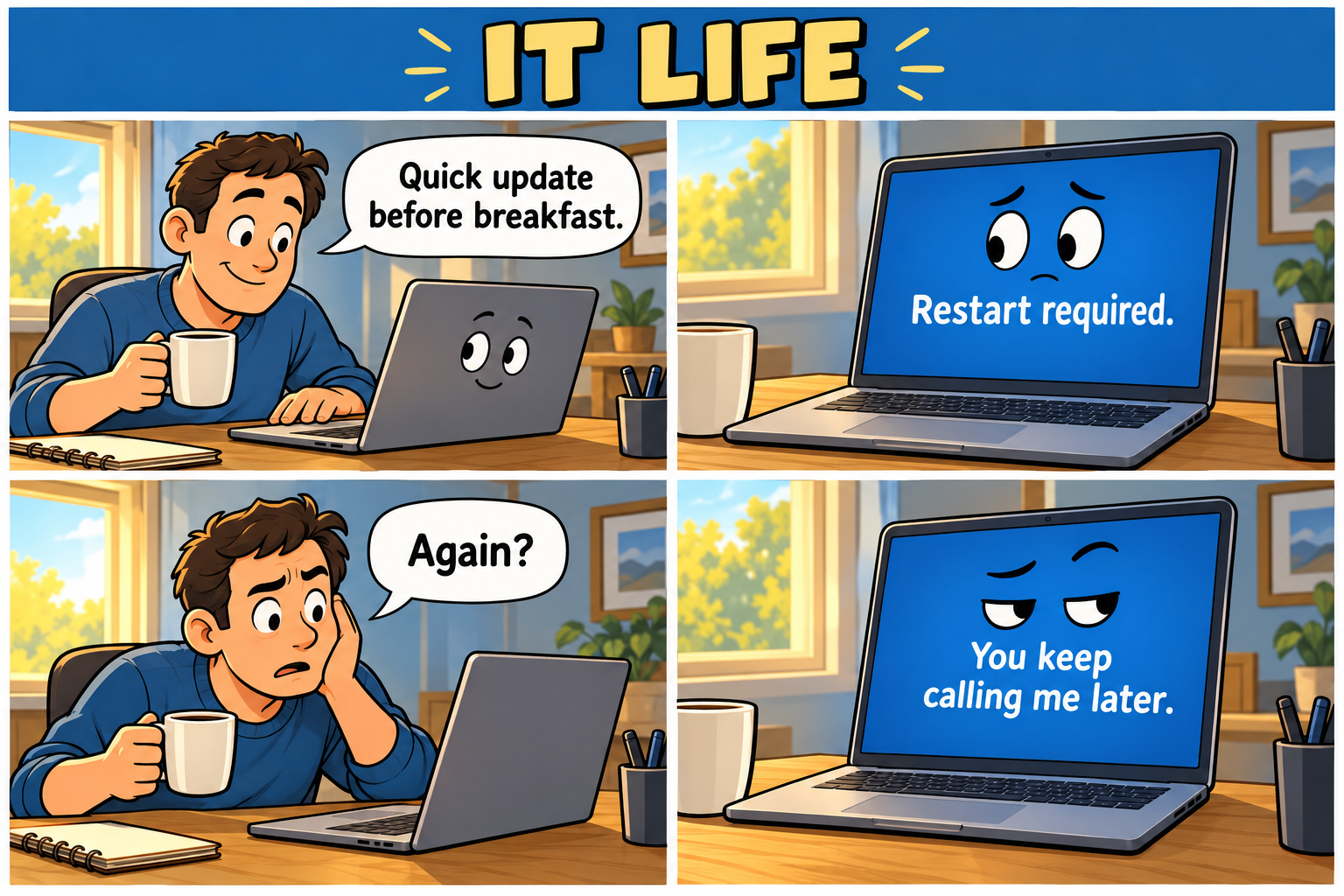
Comic transcript
- Owner: “Quick update before breakfast.”
- Laptop: “Restart required.”
- Owner: “Again?”
- Laptop: “You keep calling me later.”
Original fictional comic created for Horton IT Daily with AI-generated artwork.
Two jokes for your coffee break
1. A long story
Why did the password go to therapy?
It had too many characters.
2. Staying calm
Why was the server so relaxed?
It knew how to handle requests.
Sysadmin horoscope · October 5
Playful office adaptations of Valerie Mesa’s dated October 5, 2026 forecast in PEOPLE. These are not predictions about your systems, security, finances, or business.